Students
Your student workspace is where your college work comes together: today's classes, your attendance, the work you hand in, your exams and results, your class spaces, and what your parents can see.
New here? Start with Get started: signing in, installing the app on your phone, and notifications.
Your day
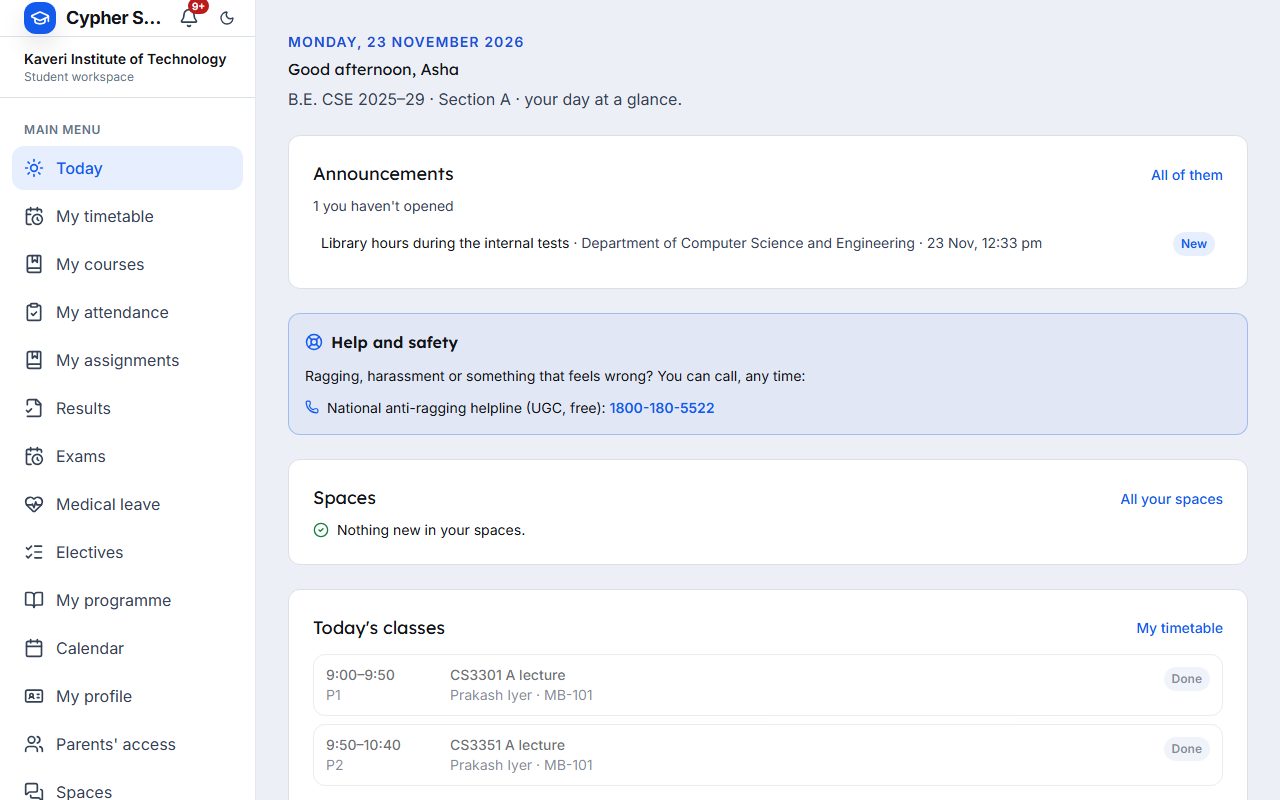
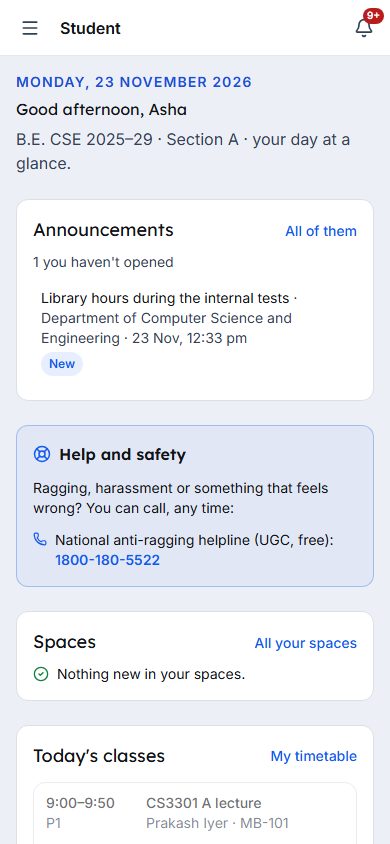
Your home page is Today. From the top, it shows:
- the date, and the day order or the weekday the college follows today, when it isn't the usual one;
- a reminder when you have electives to choose, or a choice to make about your parents' access;
- Announcements you haven't opened;
- Help and safety, with the numbers to call about ragging or harassment;
- Spaces with new posts;
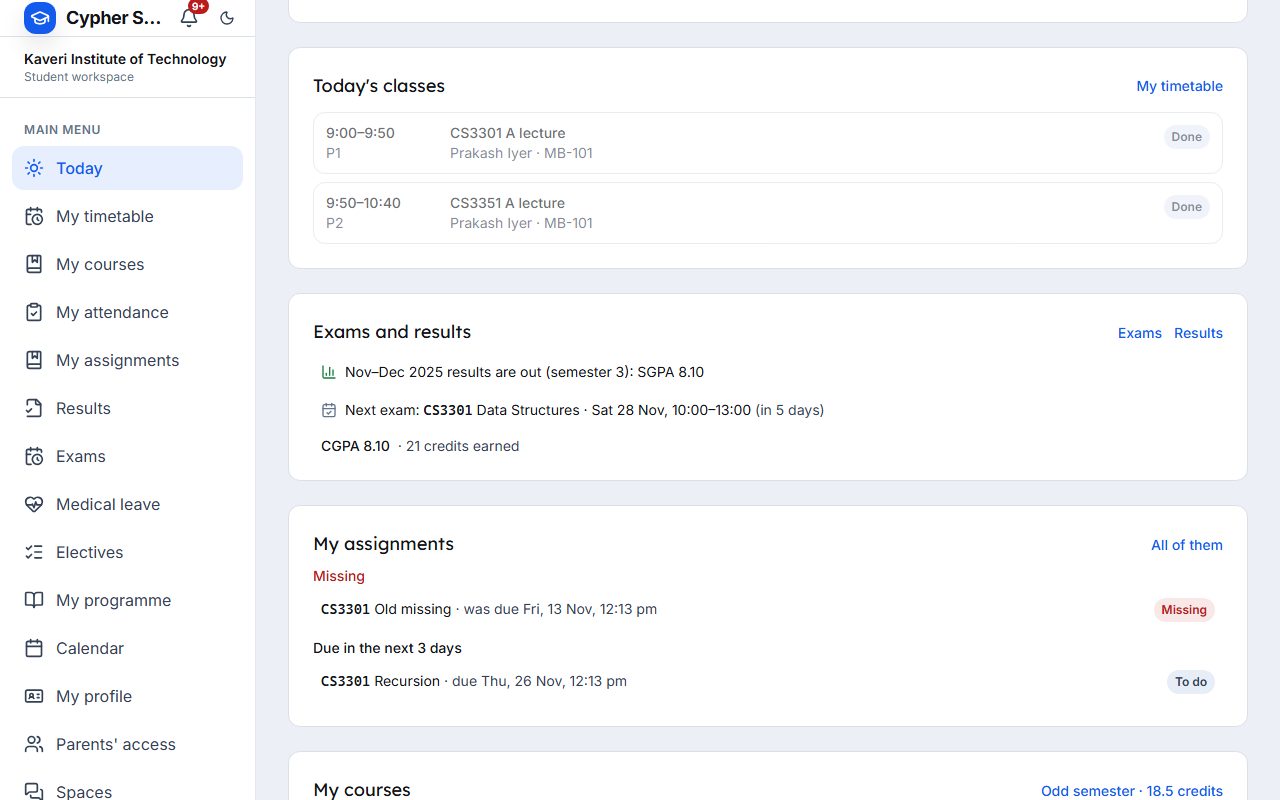
- Today's classes, each marked Now, Next or Done;
- Exams and results: new results, your next exam, a hall ticket, internal marks to check, and your CGPA;
- My assignments: work missing, and work due in the next 3 days;
- My courses this semester, and your attendance in each;
- My week: your timetable for the week;
- your mentor, class teacher and tutors.
Each card links to its full page.
What you can do
Timetable and courses
- See your timetable
- Check the academic calendar
- See your courses and your programme
- Choose your electives, Honours or a Minor
Attendance
Assignments
- See your assignments
- Hand in work
- Hand in without a connection
- Take back work you handed in
- See your returned work and coursework marks
- Query a mark
Exams and results
- See your exam timetable and hall ticket
- See your results
- Check your internal marks
- Get your grade sheet
- Ask for a photocopy, revaluation or review
Spaces, announcements and the feed
- Agree to the community rules
- Read and reply in your spaces
- Read announcements
- Use the campus feed
- Report something
Parents' access
Your record
Where to get help
- Your classes, attendance or marks: your teacher, class teacher or mentor.
- Exams and results: the exam cell.
- Your record, your account, or your parents' access: the college office.
- Ragging, harassment or anything that feels wrong: the numbers on the Help and safety card. See Get help.
The Reference explains the words the college uses.