Choose what your parents see
Your college can let your parents and guardians see some of your college records in their own Cypher Syndicate workspace. Once you're 18, you decide, for each of them, what they see. Parents' access shows who sees what, and lets you change it.
Who can do this: students who are 18 or over, for each parent or guardian on their record, when the college shares records with the student's consent. A student under 18 sees the same page without the choices: see Under 18, and turning 18.
What a parent can see
There are four areas. Your college may offer fewer.
| Area | What they see |
|---|---|
| Timetable, exams and the calendar | Your week from the published timetable, your exams, and the college calendar's holidays and events. |
| Attendance | Your attendance up to yesterday, per course and overall, against the college's line, with absences by date. |
| Assignments | Each piece of work's title, course, due date and status (to do, handed in, late, missing, returned). Never marks or comments. |
| Results | Your published results (grades, SGPA, CGPA, arrears), and internal marks once frozen. |
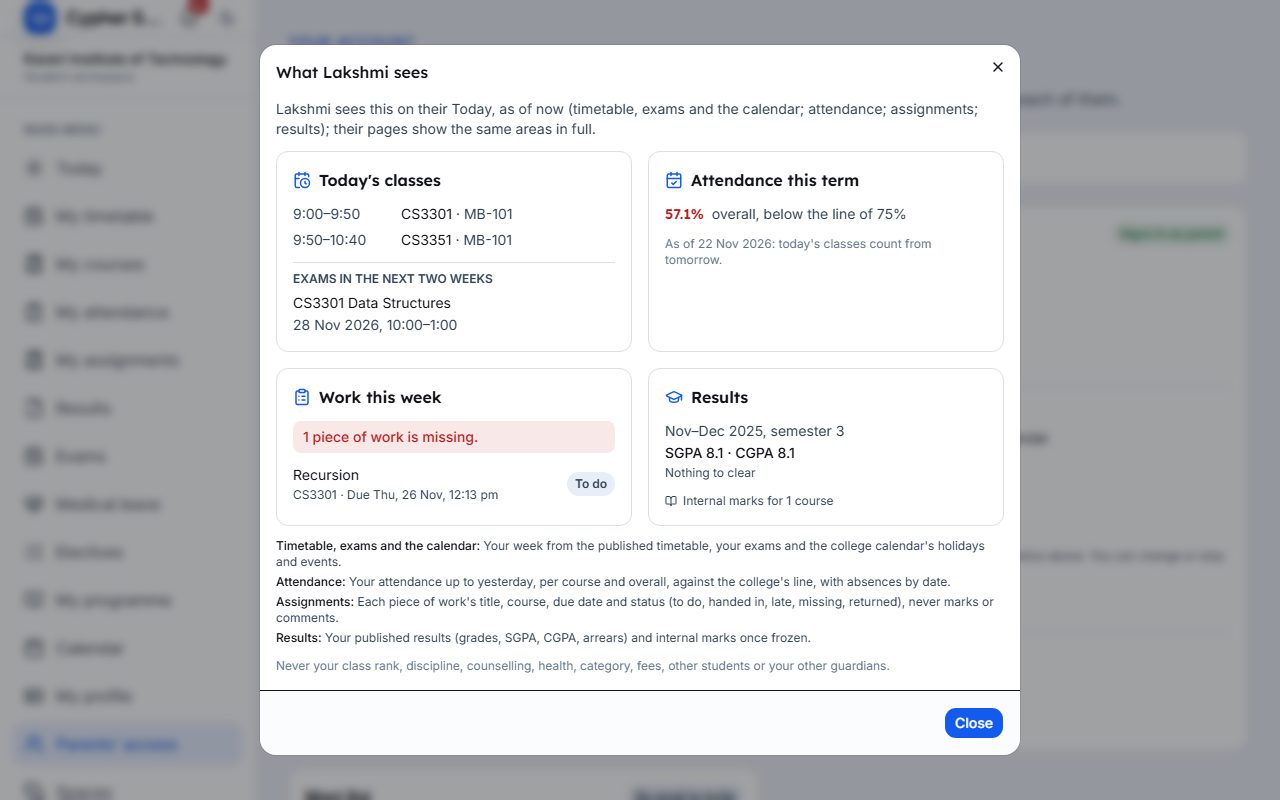
A parent never sees your class rank, discipline, counselling, health, category, fees, other students, or your other guardians.
Steps
- In the menu, choose Parents' access. (Or, from Account, choose Choose what each parent sees.)
- Read the college's notice: choose How {your college} uses your information.
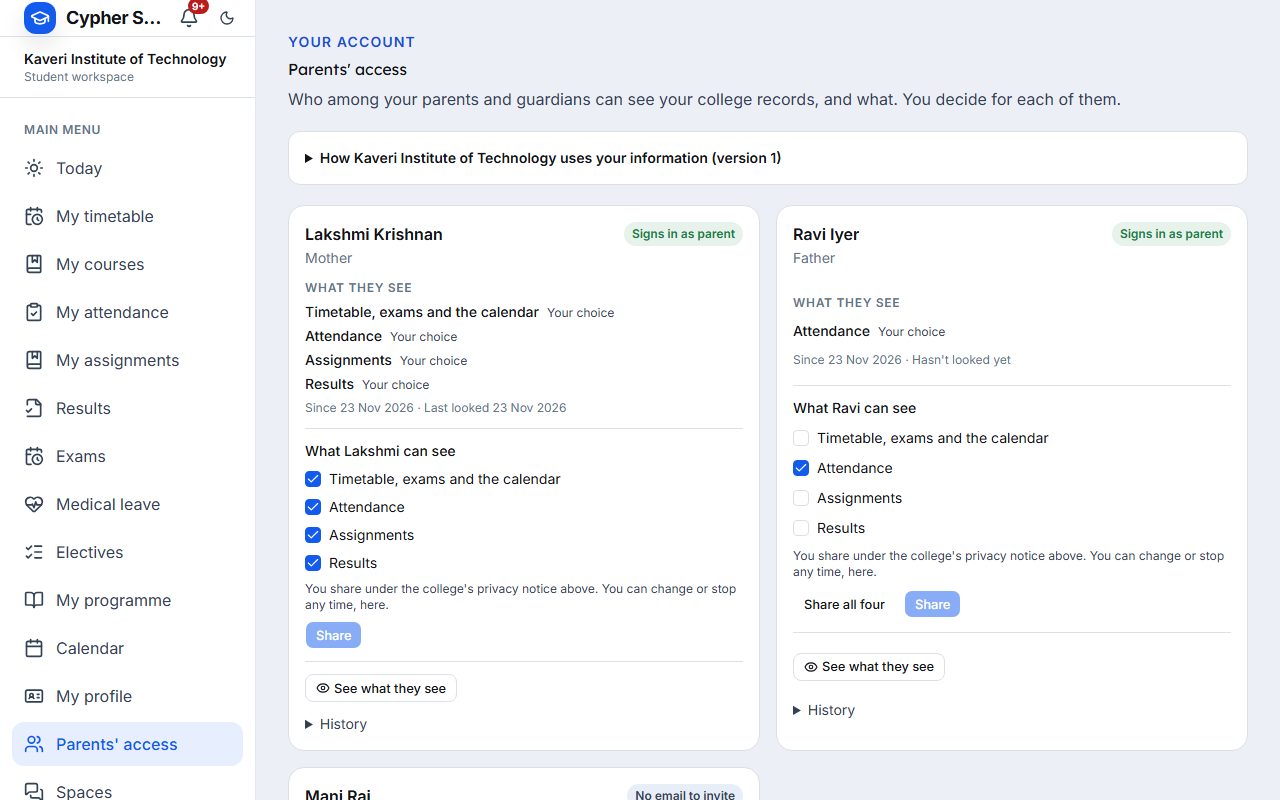
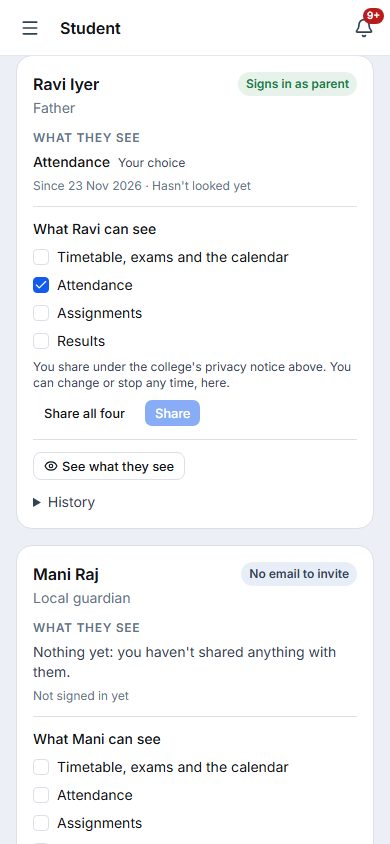
- Find the parent or guardian. Their card shows their relation, whether they sign in (Signs in as parent, Invited, Not invited, No email to invite), and under What they see, what they see now and why: Your choice, or The college's rule.
- Under What {name} can see, tick the areas to share. Share all four ticks them all.
- Choose Share.
Stop sharing
Untick every area for that parent, and choose Stop sharing. You can change or stop any time, here.
See what they see
Choose See what they see on a card. It shows that parent's Today for you, as of now, with each area they can see, and the list of what they never see.
What happens next
- The change applies at once: their pages follow what you chose.
- The card shows since when, and when they last looked: "Last looked {date}", or "Hasn't looked yet".
- History lists every change: your choices, invitations, pauses, and your 18th birthday.
- You get a notification when the college invites one of your parents, when they sign up, and when the college pauses or restores their access.
If something goes wrong
- A box is ticked and locked, with "the college's rule": your college shares that area with your parents under its rule. You can't untick it.
- "Paused by the college. The college office can tell you more.": the college paused that parent's access. Ask the office.
- "Parent access is off at the college.": your college doesn't share records with parents.
- "Their link to you has ended.": they're no longer linked to you as a guardian.
- A parent is missing, or their details are wrong: "The college office keeps them." Ask the office to add or correct them, or choose Something's wrong? on your profile.
- A parent you share with can't sign in: they need an invitation from the college. Ask the office to invite them.