See your results
Results shows your exam results once the exam cell publishes them, session by session, and your tests in each course this term, question by question.
Who can do this: students, for their own results.
Steps
- In the menu, choose Results, or open the notification "{session}: your result is out".
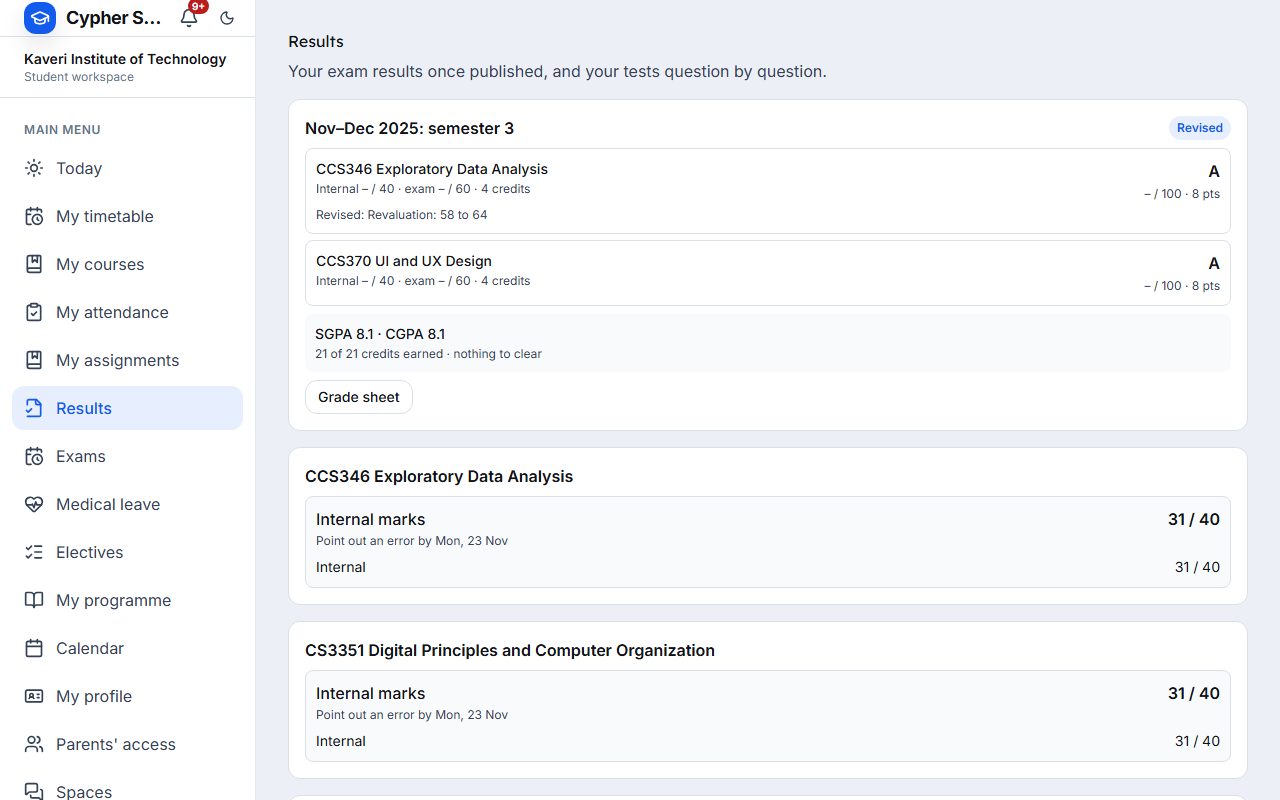
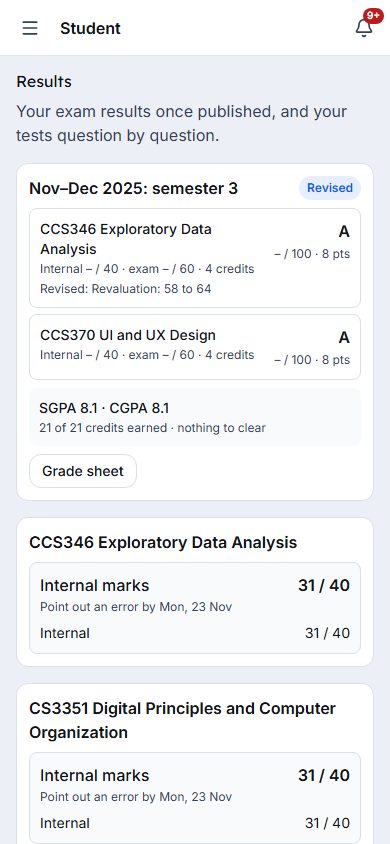
- Read each published session, for example Nov–Dec 2025: semester 3:
- each course with its internal and exam marks, its credits, its grade and grade points;
- your SGPA and CGPA, the credits earned, and any arrears still to clear;
- Revised when a result changed after it was published, with the reason under the course, for example "Revised: Revaluation: 58 to 64".
- Choose Grade sheet to open the session's grade sheet. See Get your grade sheet.
- Below the sessions, read each course of this term: its Internal marks once approved, and its tests. Choose Question by question on a test to see each question's mark.
- If you've studied more than one term, choose another under Term.
New results, and your CGPA, are also on Today, under Exams and results.
When you complete your programme
When the college records your programme as complete, Results says "Your programme is complete" with your class and CGPA, and gives you the Consolidated grade sheet. If arrears are still to clear, it says "Your course is completed with arrears": "Clear your arrears in a coming session to graduate."
If something goes wrong
- "Withheld: contact the exam cell": your result is withheld. The exam cell can tell you why.
- "No marks or results yet": your tests appear here once your teachers enter and publish their marks.
- "Marks not published yet" on a test: your teacher hasn't published that test's marks.
- A mark looks wrong: for an exam paper, ask for a photocopy, revaluation or review. For internal marks, see Check your internal marks.