Read and reply in your spaces
Every section and every class has a space. Your teachers post there: notes, reminders, what to bring. You reply in their threads to ask something. You're in your spaces automatically, from your section and your classes.
Who can do this: students, in the spaces of their own section and classes. In most spaces only teachers start posts; students reply.
Find your spaces
- In the menu, choose Spaces. (The first time, agree to the community rules.)
- Find your space under Your section or Classes, or type in Find a space. Each shows who can post (Everyone can post, Members reply only or Owners only) and how many people are in it.
- Choose a space to open it.
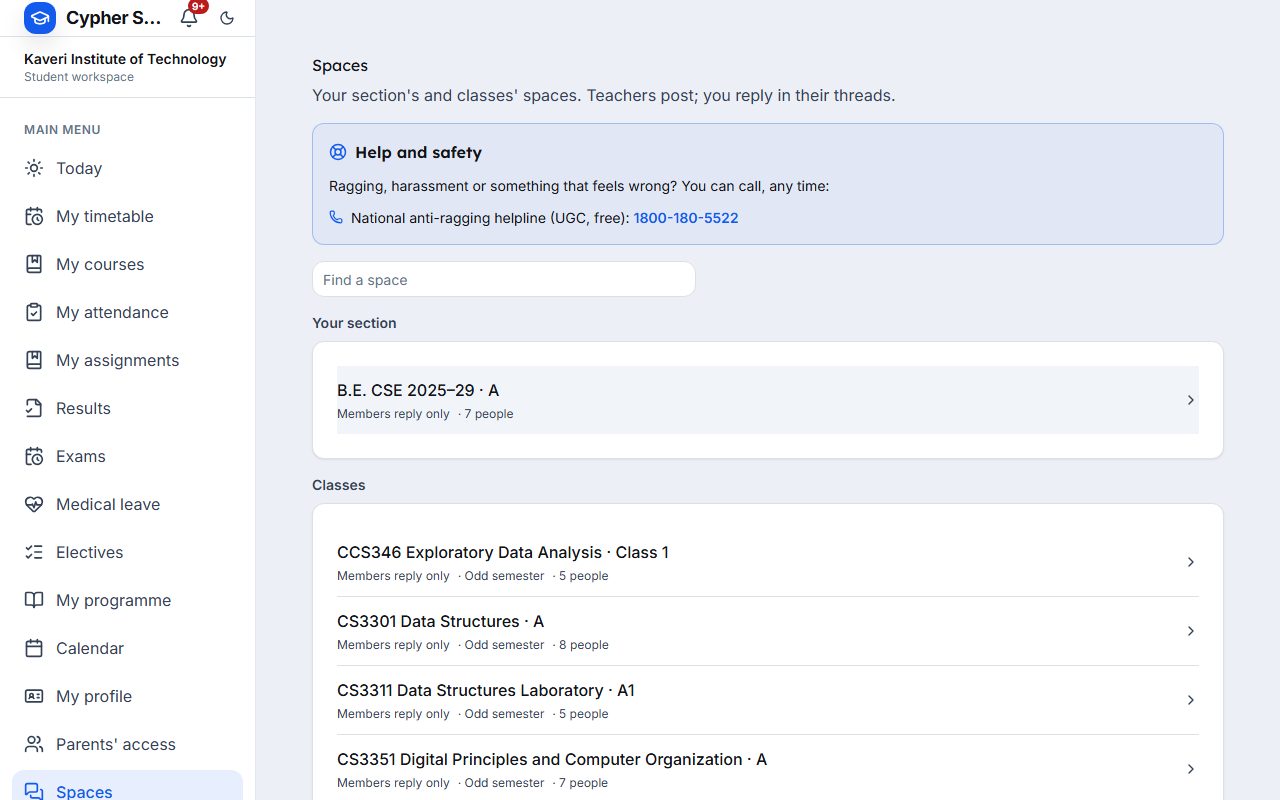
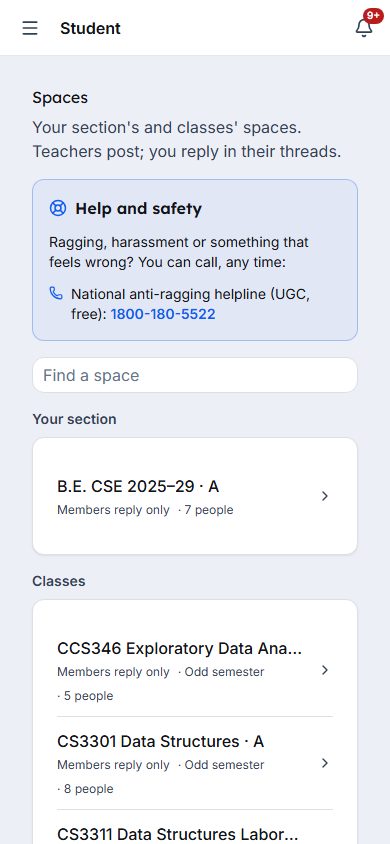
Today shows the spaces with new posts.
Read and reply
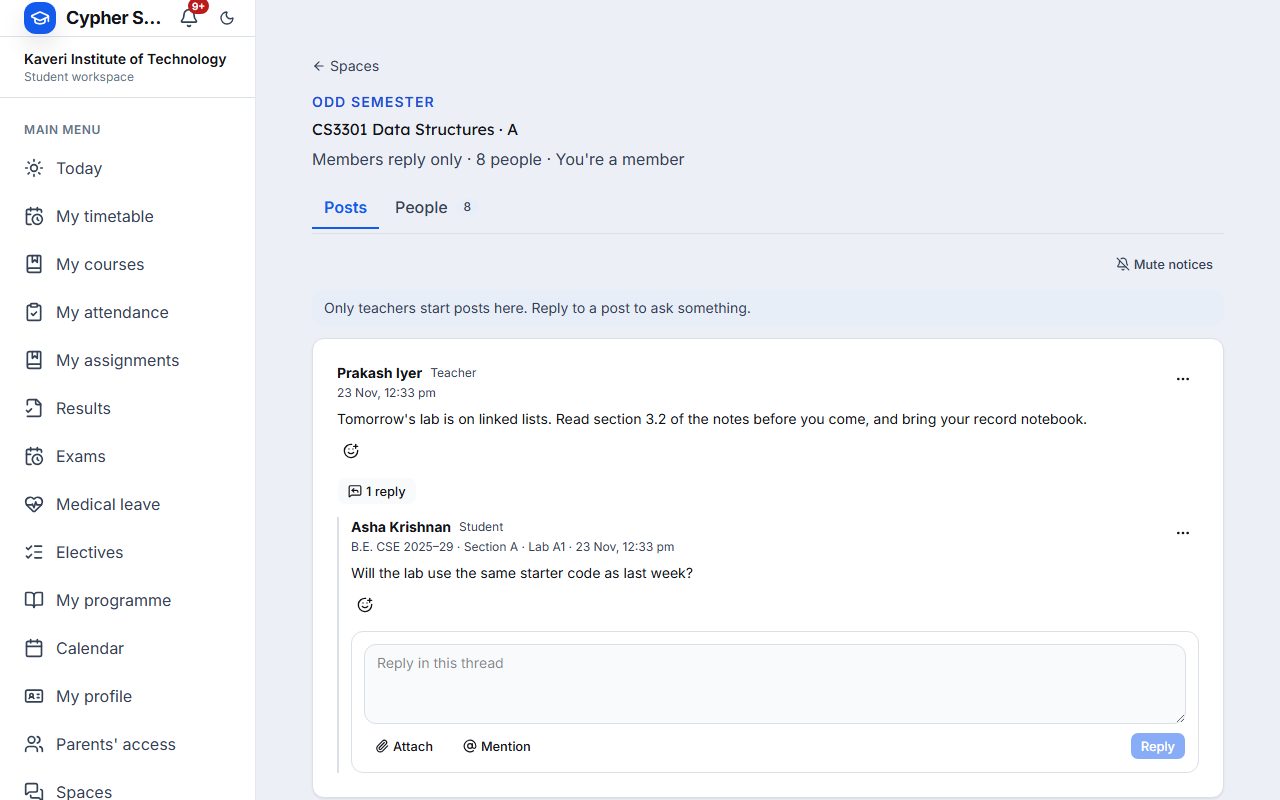
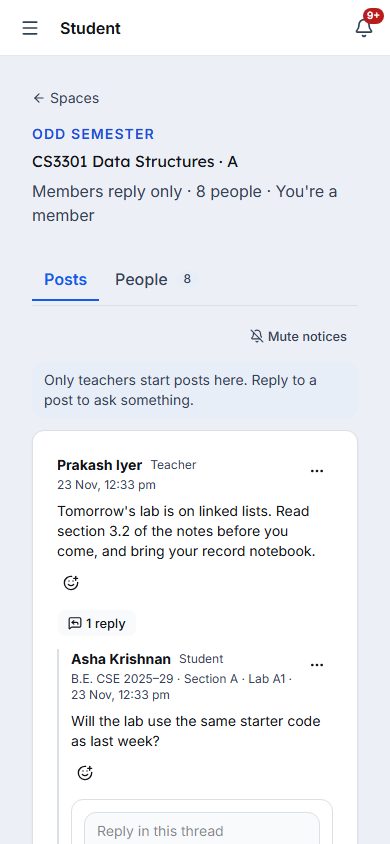
- In the space, read the posts under Posts, newest first. New posts since you last looked are marked New.
- To read the replies to a post, choose its replies, for example 1 reply.
- To reply, type in Reply in this thread and choose Reply.
- To mention someone, choose Mention and pick a member. They're told.
- To add a file, choose Attach.
- To react to a post or reply, choose the reaction button under it and pick one.
Change or delete your reply
Open the actions (⋯) on your reply:
- Edit: within 15 minutes of posting.
- Delete: within 2 days of posting.
Mute a space
Choose Mute notices at the top of the space. Its posts and replies stop notifying you; mentions and announcements still do. Choose Unmute to undo it, here or in your notification settings.
People lists the space's members.
If something goes wrong
- "Only teachers start posts here. Reply to a post to ask something.": in this space, students reply in threads; they don't start posts.
- "This space is read-only.": nobody can post in it now.
- "Posts here take no replies: react instead.": in this space only its owners post (Owners only). React to a post instead.
- "Held for review: members don't see it yet." on your reply: the college's checks held it for a moderator to look at.
- "You aren't in any space yet": spaces come from your section and classes; the office sets those up.
- Something breaks the rules: report it.