Parents
Your child's college can share some of their college records with you: their timetable and exams, their attendance, where their work stands, and their results. You see them in your own Parent workspace, on a phone or a computer. The college also sends announcements to parents here.
What you see depends on the college's policy and, for students over 18, their own choice.
New here? Start with Accept your invitation, then Install the app on your phone.
Your day
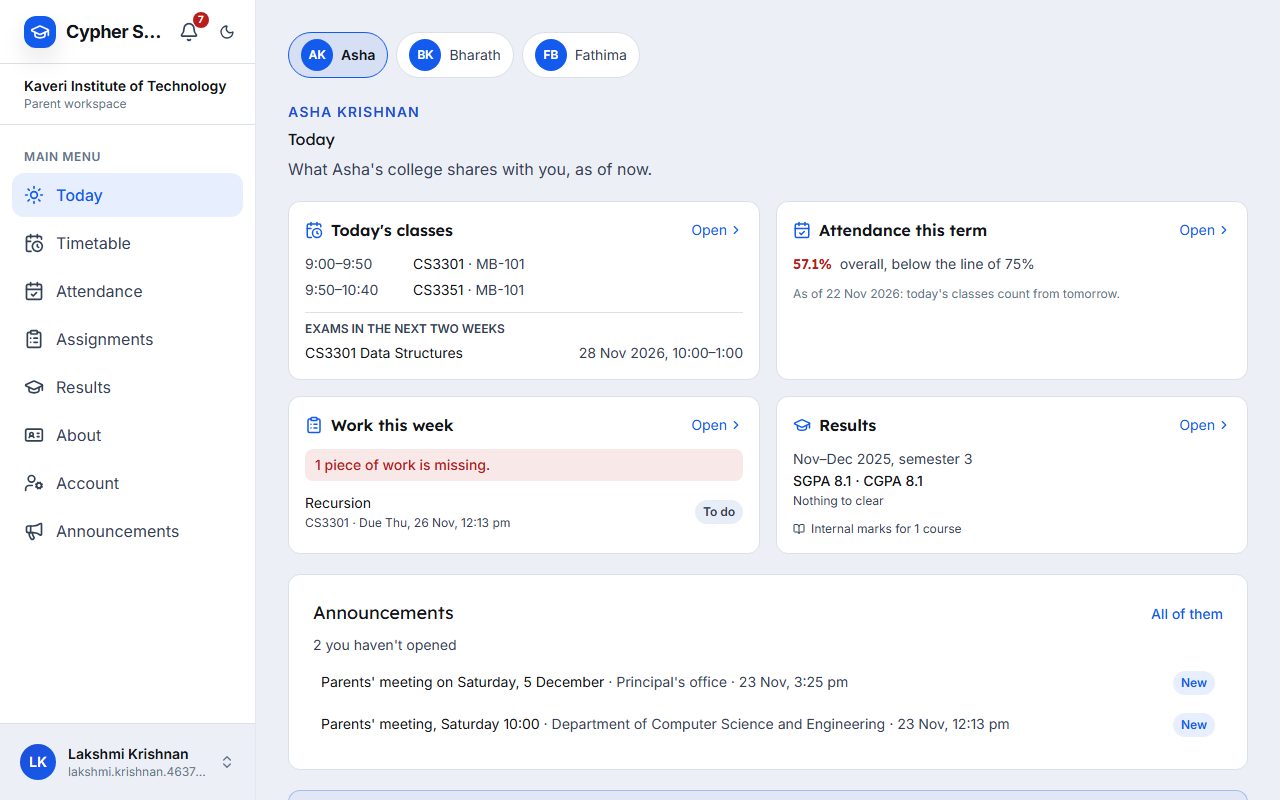
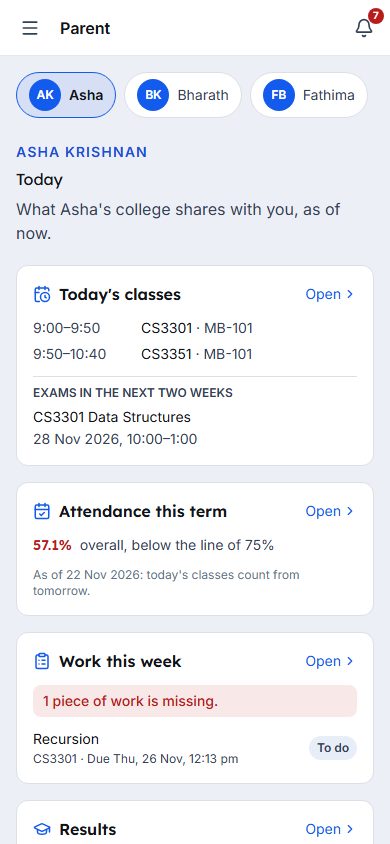
Your home page is Today. For the child you've chosen, it shows a card for each area you can see:
- Today's classes, and exams in the next two weeks;
- Attendance this term, against the college's line;
- Work this week: work due in the next seven days, and work that's missing;
- Results: the latest published results.
Below them are the Announcements the college sent to parents, and the Help and safety card. With more than one child at the college, choose a child at the top.
What you can do
Getting started
Your child's records
- See your child's timetable, exams and holidays
- See your child's attendance
- See your child's assignments
- See your child's results
- See what you can see, and who to contact
- Why you can't see something
From the college
Your account
Your workspace is for reading. Paying fees, hall tickets, asking for leave and messaging teachers aren't part of it: ask the college office.
Where to get help
- Your child's classes, attendance or marks: their class teacher. Their name is on About for each child.
- Your account, your invitation, or what you can see: the college office. Its contact is on About.
- Ragging, harassment or anything that feels wrong: the numbers on the Help and safety card. See Get help.