Choose your electives, Honours or a Minor
When the academic office opens choosing, you rank the options of each elective group in the order you prefer. The office then places you, and Electives shows the course you're in. On the same page you can apply for an Honours or Minor track.
Who can do this: students whose semester has elective groups, while choosing is open; and students who can apply for a track, while applications are open.
Before you start
- Today tells you when choosing is open: "Choose your electives by {date}." with Choose now.
Rank your electives
-
In the menu, choose Electives, or choose Choose now on Today.
The page says until when: "Rank the options of each group by {date}. You can change your ranking until then."
-
In each group, under Options, add the courses to Your ranking in the order you prefer them, best first. Each option shows its L-T-P and any prerequisite.
-
Move a course up or down to change its place, or remove it. The group says how many you must rank at least; you may rank them all.
-
Choose Submit ranking. Later changes are saved with Save changes.
Until choosing closes, you can change your ranking as often as you like.
See where you were placed
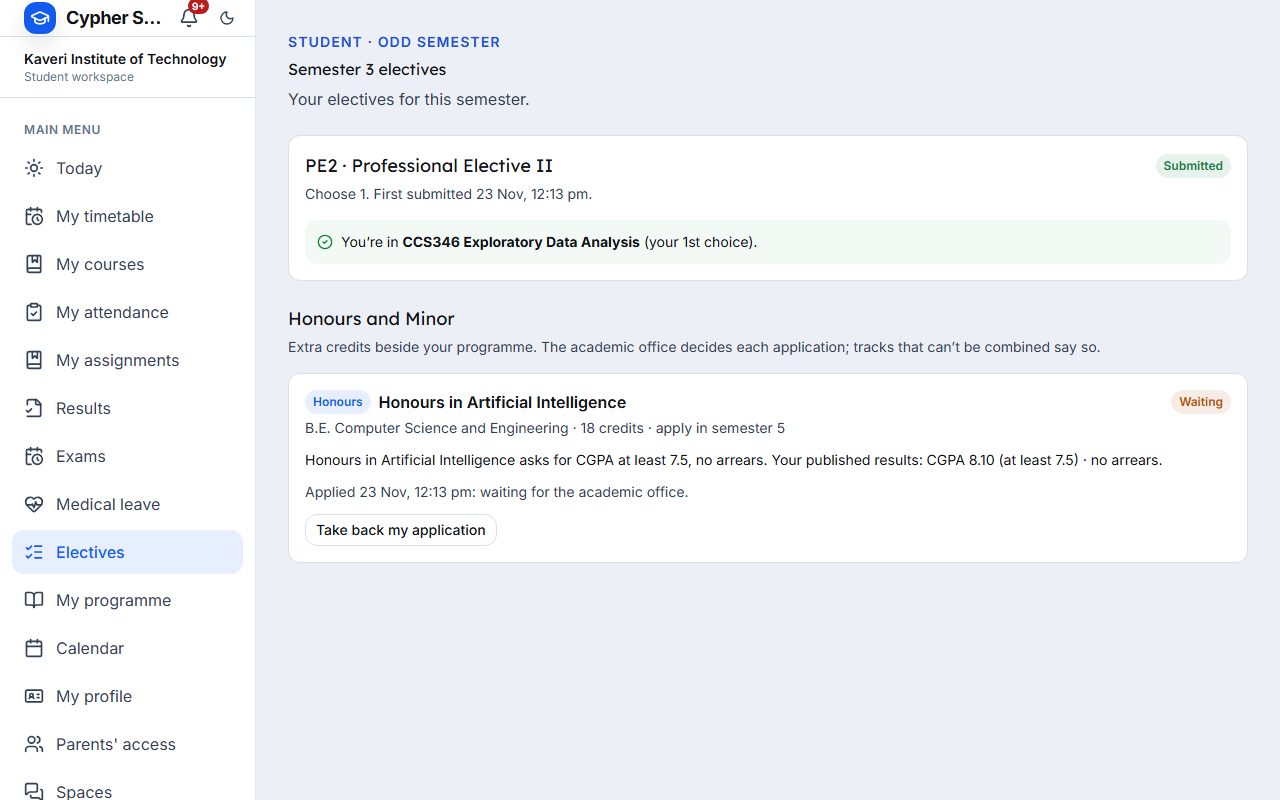
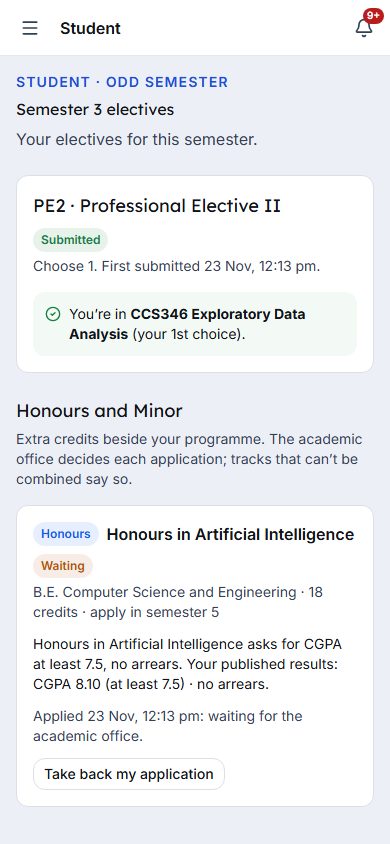
When the academic office publishes the placements, each group shows the course you're in, for example "You're in CCS346 Exploratory Data Analysis (your 1st choice)." Before then, it says "Not settled yet: the academic office will place you and let you know."
Apply for Honours or a Minor
Honours and Minor are "Extra credits beside your programme. The academic office decides each application; tracks that can't be combined say so."
- On Electives, under Honours and Minor, find the track. It shows its credits and which semester to apply in.
- Read what it asks for, for example "CGPA at least 7.5, no arrears", and how your published results compare.
- Choose Apply.
Your application shows Waiting until the academic office decides. The office can still approve you when your results don't meet the rule, with a reason.
To withdraw while it's waiting, choose Take back my application.
Pick your track courses
Once you're on a track, its courses for the semester are listed. Pick the ones you'll take, then choose Save my picks.
What happens next
You get a notification when you're placed in an elective and when the academic office decides your track application. Your placed elective appears in My courses and on your timetable.
If something goes wrong
- "Nothing to choose this semester": none of the elective groups is for your semester.
- "One group still needs your ranking.": rank at least the number of options the group asks for, and submit.
- "You didn't rank this group.": choosing closed before you ranked it. The academic office places you; ask them if you're unsure.