See your courses and your programme
My courses lists this semester's courses and who teaches them. My programme shows your whole programme, semester by semester, and the credits you've earned.
Who can do this: students, for their own courses and programme.
This semester's courses
-
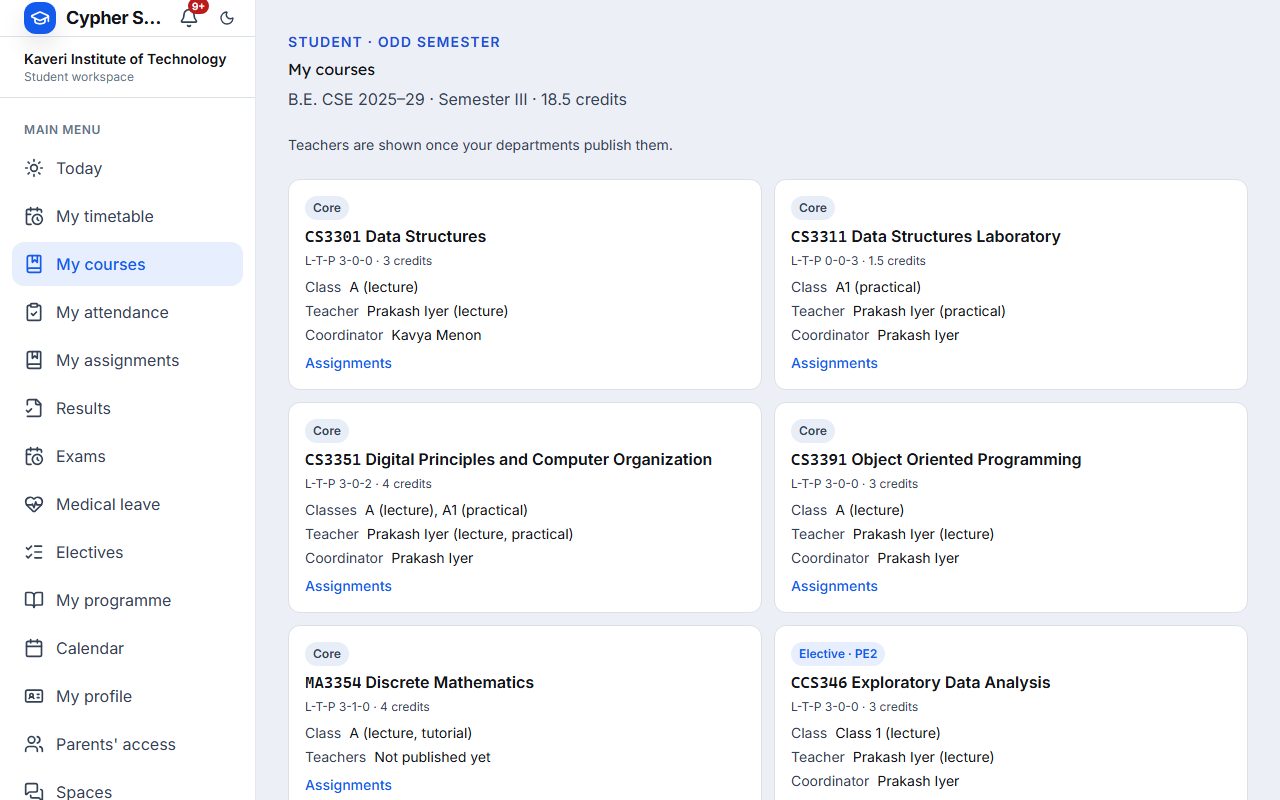
In the menu, choose My courses.
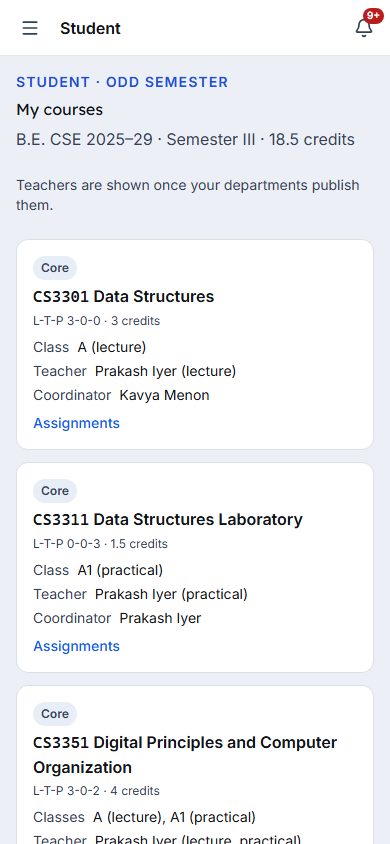
The top line shows your batch, semester and this semester's credits.
-
Read each course card:
- its kind, for example Core, or Elective with its group;
- its code and name, its L-T-P (lecture, tutorial and practical hours a week) and credits;
- your Class: your section, lab batch or elective class, and whether it's the lecture, tutorial or practical;
- its Teacher for each part, and its Coordinator.
-
Choose Assignments on a card to see that course's work.
Teachers are shown once your departments publish them. Until then a card says Not published yet.
Your programme
-
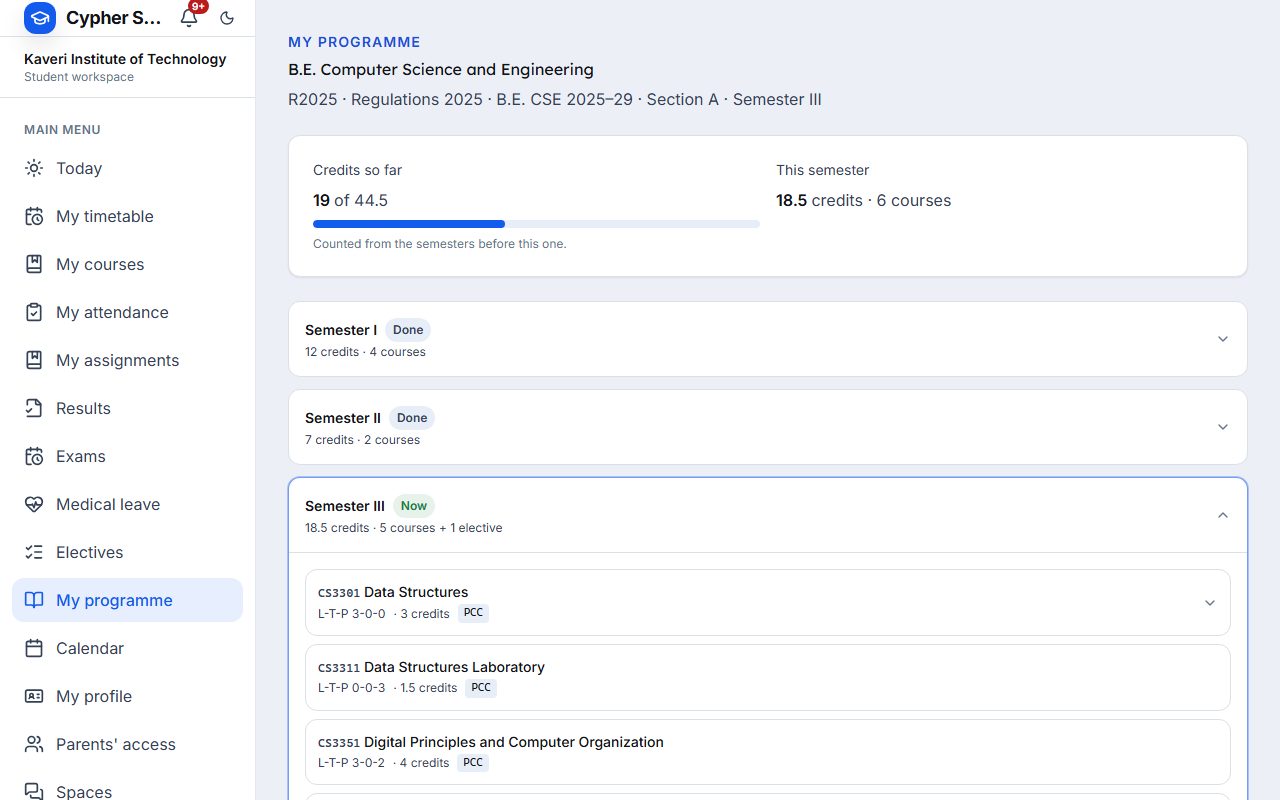
In the menu, choose My programme.
The top line shows your regulation, batch, section and semester.
-
Read Credits so far: the credits you've earned, counted from the semesters before this one, out of the programme's total. This semester shows this semester's credits and courses.
-
Choose a semester to open its courses. Semesters you've finished say Done; this one says Now.
If something goes wrong
- "No courses this semester yet" or "No semester to show yet": the academic office hasn't planned your semester yet. Your courses show once it does.
- "You're not on a batch's roll": your courses show once the academic office enrols you in a batch.
- A course or a class looks wrong: ask your class teacher, or the college office.