Get your grade sheet
Each published session has a grade sheet you can open, print or save as a PDF from your phone or computer. Its verification code lets anyone check it's genuine.
Who can do this: students, for their own results. The copy you print is marked Student copy; the college's issued sheets come from the exam cell.
Steps
-
In the menu, choose Results.
-
Under the session, choose Grade sheet.
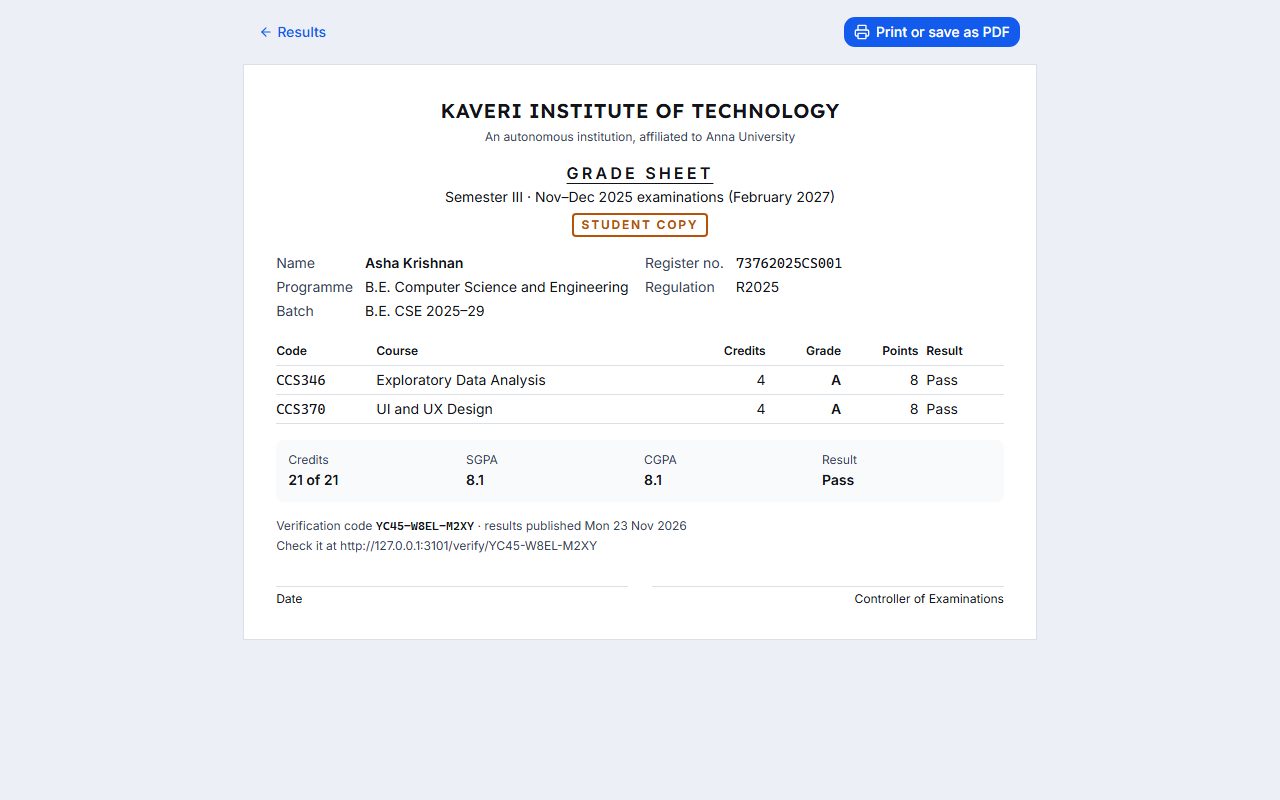
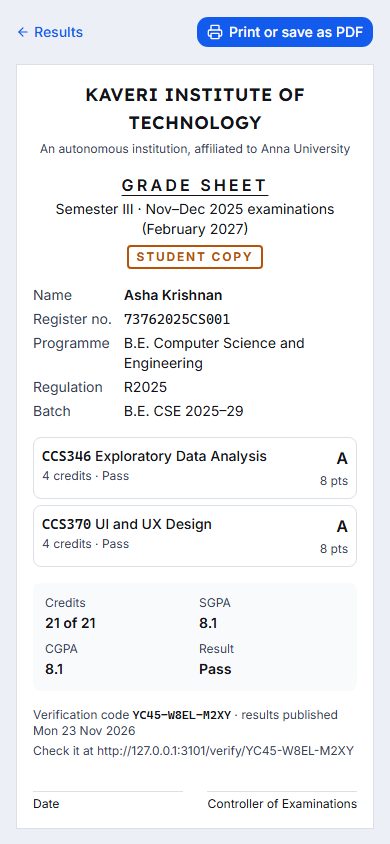
The sheet opens on its own page: your college, GRADE SHEET, the semester and session, and STUDENT COPY. Then your name, register number, programme, regulation and batch; each course with its credits, grade, grade points and result; and your credits, SGPA, CGPA and result.
-
Choose Print or save as PDF. In your browser's print window, choose your printer, or Save as PDF.
-
Choose Results at the top to go back.
Check that a grade sheet is genuine
The foot of the sheet gives its Verification code and a web address to check it. Anyone, for example an employer or another university, can open that address, or type the code on the Check a grade sheet page. It shows what the sheet states, and whether it's Genuine and current or Genuine, but superseded by a later version.
What happens next
If a result is revised later, for example after a revaluation, your results show Revised, and the grade sheet you open shows the new version. An older sheet you printed is then superseded.
When you complete your programme
When your programme is complete, Results gives you the Consolidated grade sheet too, which you print the same way.