See your returned work and coursework marks
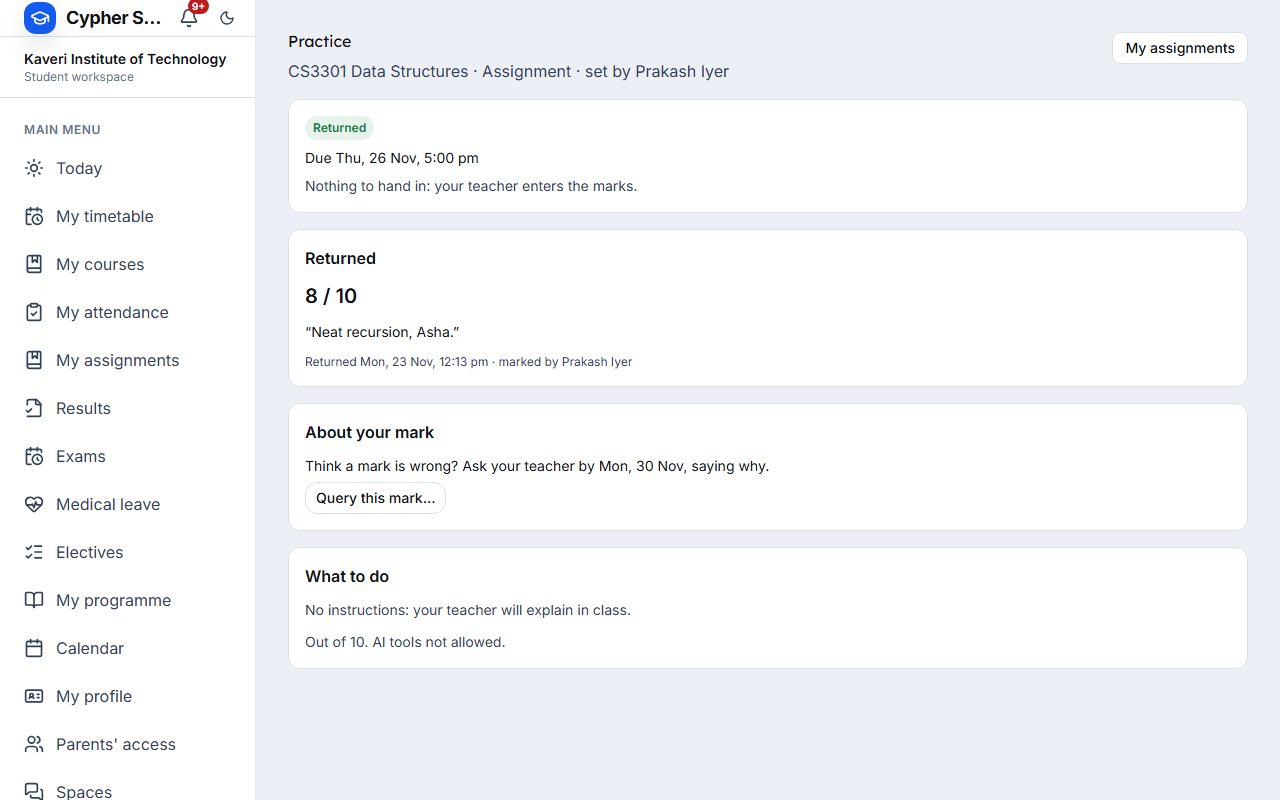
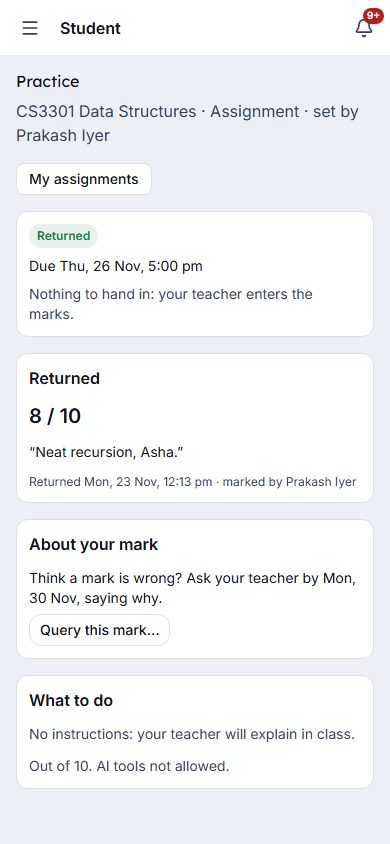
When your teacher returns marked work, you're told, and the work shows your mark, their comment and any feedback file.
Who can do this: students, for their own work.
Steps
- Open the notification "Returned: {course} {title}", or choose the work under Returned in My assignments.
- Read Returned:
- your mark, for example 8 / 10, and each part's marks if the work has parts;
- your teacher's comment, and any feedback file;
- when it was returned and who marked it.
- If marks were taken off for lateness, it says so apart: "Marked {marks} / {maximum}; {marks} taken off for handing it in late."
Some work is Feedback only: this one isn't marked., or "Returned with feedback, without marks."
When your teacher asks for another attempt
The work shows Revision asked, with "Your teacher asks for another attempt:" and what to change. Under Hand it in again, change your work and choose Turn in. See Hand in work.
Your coursework marks
When a course counts coursework toward internal marks, My assignments shows Coursework marks for it: So far while it's being built up, Approved once the course's marks are approved. Approved marks are locked, and they're what goes into your results.
What happens next
If you think a mark is wrong, you can query it within your college's window: 7 days after it's returned, unless your college sets another. See Query a mark.
If your teacher changes a returned mark, you're told, and Changes under About your mark shows the old and new mark and why.