Check your attendance
My attendance shows your attendance this semester, overall and in each course, counted by your regulation's attendance rules. It also tells you what you can still miss, or must attend, to stay above your college's minimum.
Who can do this: students, for their own attendance.
Steps
-
In the menu, choose My attendance.
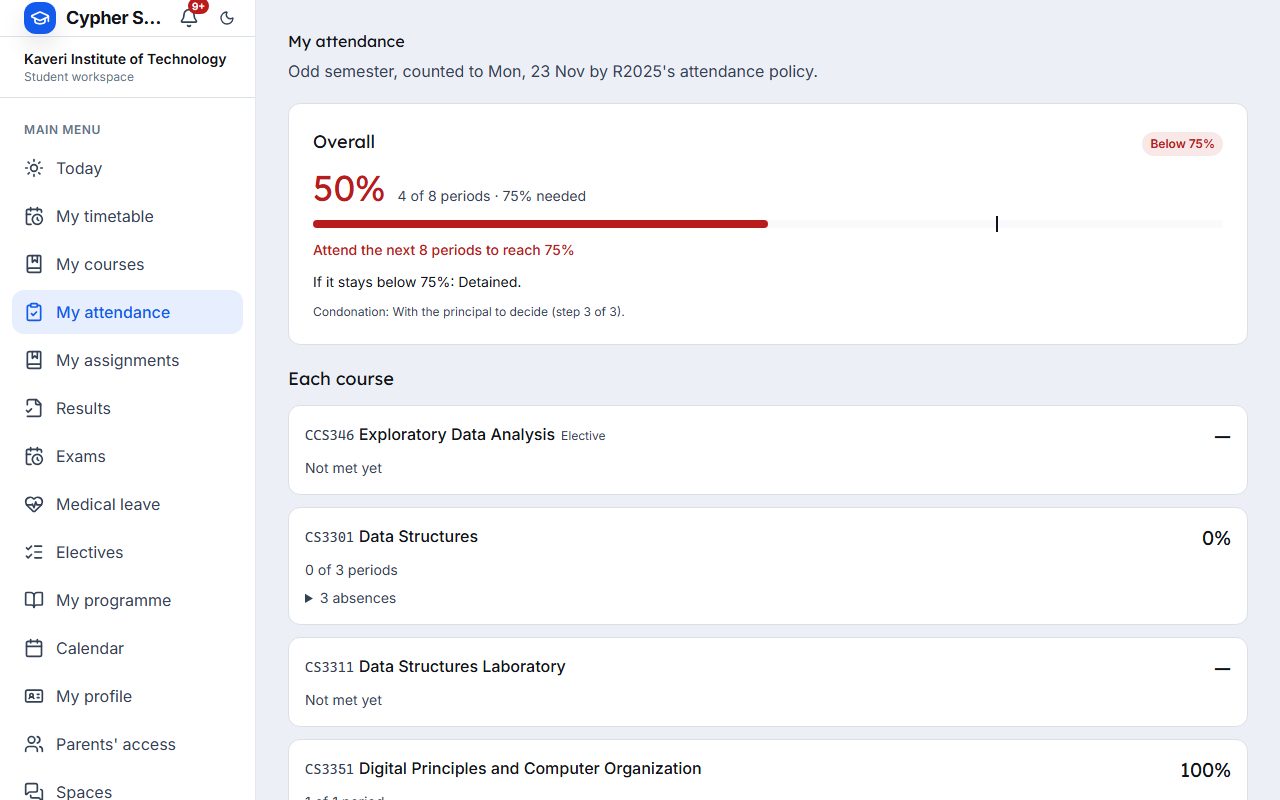
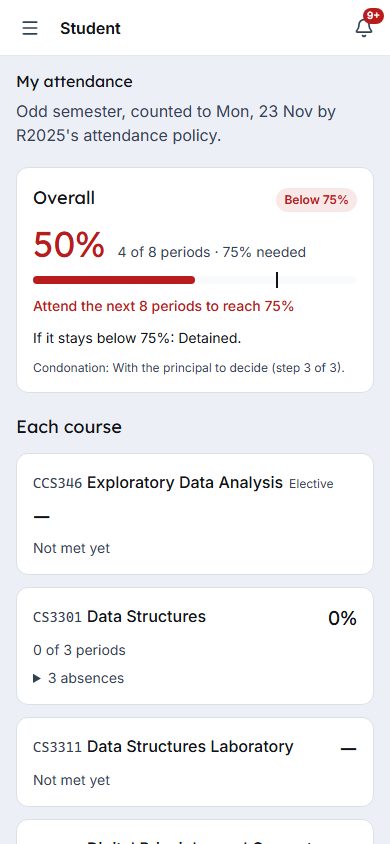
The line at the top says which semester, up to which day, and by which regulation's rules, for example "Odd semester, counted to Mon, 23 Nov by R2025's attendance policy."
-
Read Overall:
- your percentage, and how many periods you attended out of how many, with the minimum needed;
- the bar, with a line at the minimum;
- a badge: Meets 75%, Below 75%, Condoned, or No classes yet (75% is an example; your regulation sets the line);
- what to do next: "Can miss 3 periods", "Can't miss any more", "Attend the next 8 periods to reach 75%" or "Can't reach 75% this term";
- when you're below the line, what happens if it stays there, for example "If it stays below 75%: Detained."
-
Under Each course, read each course's percentage and periods. A course whose classes haven't met says Not met yet.
-
Choose absences under a course to see each one: the date, the period, and any medical leave or on duty applied to it.
-
Under How it's counted, read your regulation's rules. See How your attendance is counted.
Your attendance in each course is also on Today, with what you can still miss.
What happens next
- Your teachers mark each class; the count updates when they do.
- If you were absent for illness, ask for medical leave with a certificate.
- If you're short of the line but within the band your regulation allows, you can ask for condonation.
- When your overall attendance comes near or falls below the line, you get a notification. Each week you also get a summary, "Your attendance this term: {percentage} overall".
If something goes wrong
- A mark looks wrong: tell the teacher of that class. They can correct their register.
- "Your regulation's attendance rules aren't set yet: the counts are shown without a minimum.": the college hasn't set the rules yet; you see the counts only.
- "No term of yours is running.": there's no semester running for you now.
- "Couldn't load the attendance: …": check your connection and choose Try again.