Sign out of a shared phone
On a phone others in the family use, sign out when you've finished, so the next person can't open your children's records.
Who can do this: parents and guardians, on any phone or computer they signed in on.
Steps
-
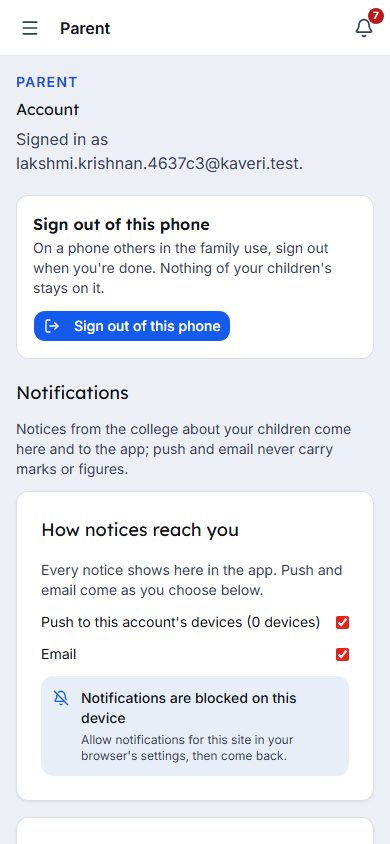
In the menu, choose Account.
It says who you're signed in as.
-
Under Sign out of this phone ("On a phone others in the family use, sign out when you're done. Nothing of your children's stays on it."), choose Sign out of this phone.
What happens next
You go back to the sign-in page. To see your children's records again, someone needs your email and password. Notifications already on the phone from push name your child, but never carry marks or figures.
To sign out of every phone at once, change your password: open your full account page from the link at the bottom of Account, and see Change your password.