See your child's attendance
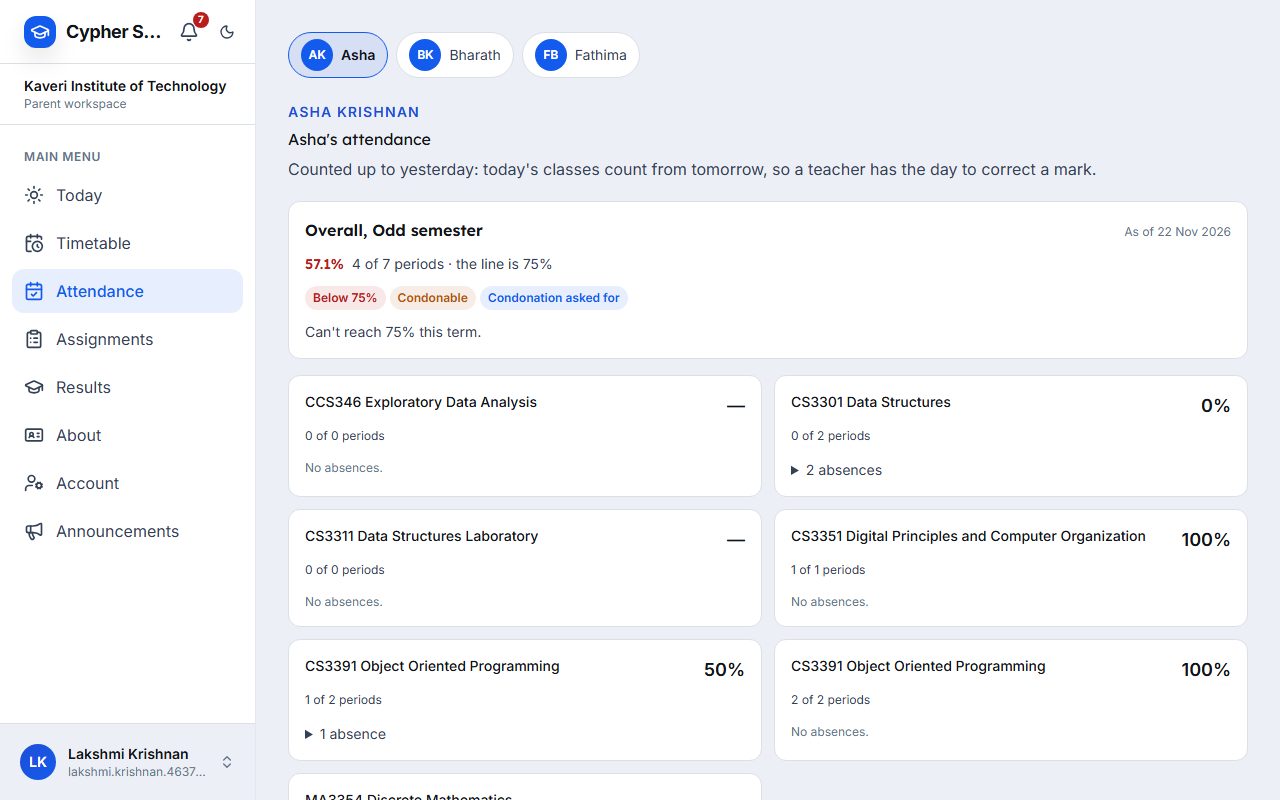
Attendance shows your child's attendance this semester, overall and in each course, against the college's line, with each absence by date. It's counted up to yesterday: today's classes count from tomorrow, so a teacher has the day to correct a mark.
Who can do this: parents and guardians who can see their child's Attendance.
Steps
- In the menu, choose Attendance. With more than one child, choose the child at the top.
- Read the overall card, for example Overall, Odd semester, "As of 22 Nov 2026":
- the percentage, the periods attended out of the periods held, and the college's line, for example "57.1% 4 of 7 periods · the line is 75%";
- badges such as Below 75%, and Condonable, Condonation asked for, Condoned or Condonation not granted when they apply;
- what's ahead, for example "Can't reach 75% this term".
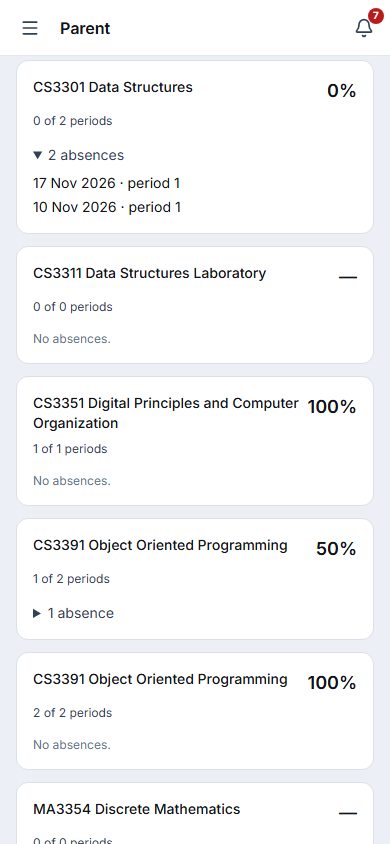
- Read each course's card: its percentage and periods.
- To see a course's absences, choose absences on its card. Each shows the date and the period. Leave approved or On duty marks an absence the college has excused.
What the line means
The college sets a minimum attendance for each regulation, for example 75%. A student below it at the end of the semester may need condonation, or may not be allowed to sit the exams, by the college's rules. Condonable means the shortage can still be condoned with the college's approvals. Your child's own page, and the college office, can explain the rules that apply.
What happens next
When your child's attendance first falls below the line in a course or overall, you get a notification: "New attendance update for {child}". While they're short, you also get "{child}'s attendance this month". Notifications never carry figures: the figures are on this page. See Notifications about your child.
If something goes wrong
- A mark looks wrong: ask your child's class teacher. A corrected mark shows here the next time you look.
- "Nothing to show for {child} right now. …": attendance isn't shared with you for that child. See Why you can't see something.