See your child's timetable, exams and holidays
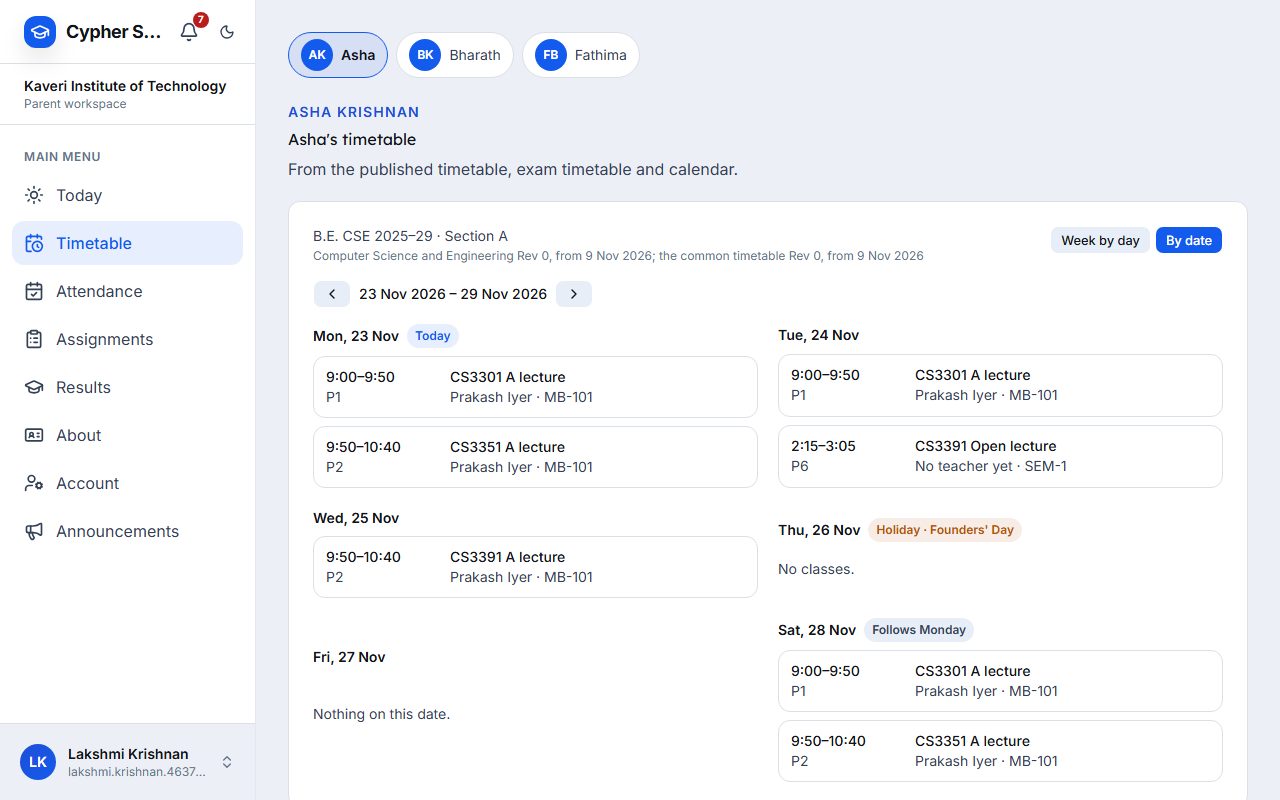
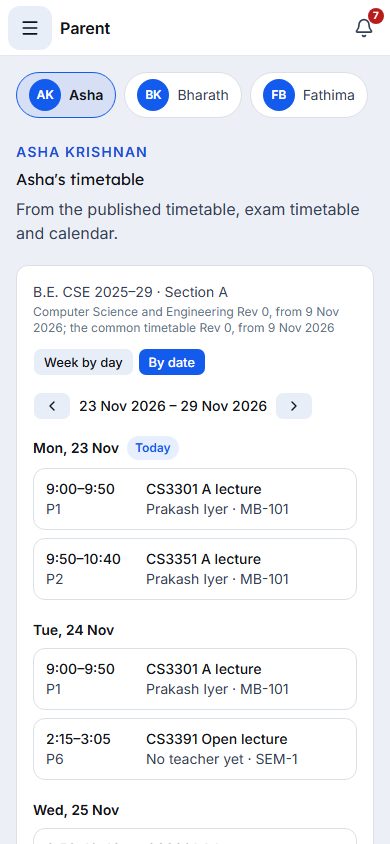
Timetable shows your child's classes from the published timetable, their exams from the published exam timetable, and the holidays and events on the college calendar.
Who can do this: parents and guardians who can see their child's Timetable, exams and the calendar.
Steps
- In the menu, choose Timetable. With more than one child, choose the child at the top.
- Read the week. It opens By date: each day of this week with its classes, the period, the course, the teacher and the room. A holiday says so, for example Holiday · Founders' Day with "No classes.", and a working Saturday says which day's classes it follows, for example Follows Monday.
- Use the arrows beside the dates to see the week before or after.
- Choose Week by day to see the usual week, day by day.
- Below the week, read Holidays and events this week and Exams: each paper's date and time.
Today's classes and the exams in the next two weeks are also on Today.
If something goes wrong
- "The college hasn't published this year's calendar yet.": holidays and events show once it does.
- "Nothing to show for {child} right now. …": the timetable isn't shared with you for that child. See Why you can't see something.